
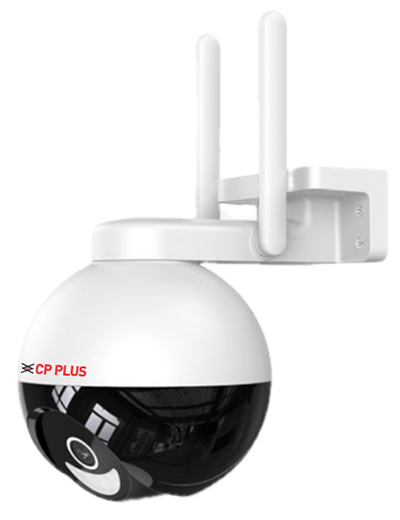
WiFi CCTV Camera Installation Requirements
Before installing your WiFi CCTV camera, please ensure the following requirements are completed. This helps provide a smooth installation process and reliable camera performance.
1. Strong WiFi Signal is Mandatory
Your WiFi camera must receive a strong and stable WiFi signal from the router. Weak signals may cause:
- Camera offline issues
- Live view interruptions
- Recording failures
- Slow video streaming
If the signal is weak, consider moving the router closer or installing a WiFi range extender before installation.
2. Router Must Support 2.4GHz WiFi
Most WiFi CCTV cameras support only the 2.4GHz WiFi network.
Before installation:
- Enable the 2.4GHz band on your router.
- Ensure the WiFi name (SSID) and password are available.
- If your router combines 2.4GHz and 5GHz into one SSID, configure it appropriately so the camera can connect to the 2.4GHz network.
3. Power Socket Required
A working 230V power socket must be available within approximately 2 feet (60 cm) of the camera installation location.
Extension cables or additional electrical work, if required, are not included in the standard installation unless agreed separately.
4. Keep Your WiFi Password Secure
During installation, the engineer may require temporary access to your WiFi credentials to connect the camera.
For your security:
- Change your WiFi password immediately after installation if you prefer.
- Do not permanently share your WiFi password with the installation engineer or any third party.
- Keep your router login credentials private.
5. Product Warranty
TM Technology provides professional installation services. The product warranty is provided by the camera manufacturer according to their warranty policy.
For warranty claims related to:
- Manufacturing defects
- Hardware faults
- Firmware issues
- Product replacement
Please contact the respective camera manufacturer’s authorized customer support or service center.
Installation Checklist
✔ Strong WiFi signal available at the camera location
✔ Router configured with a 2.4GHz WiFi network
✔ Power socket available within 2 feet
✔ WiFi name and password ready for setup
✔ Password secured after installation
A properly prepared installation site ensures better camera performance, stable connectivity, and long-term reliability.